
Build a Team
You have the opportunity to invite colleagues to your projects and collaborate with them.
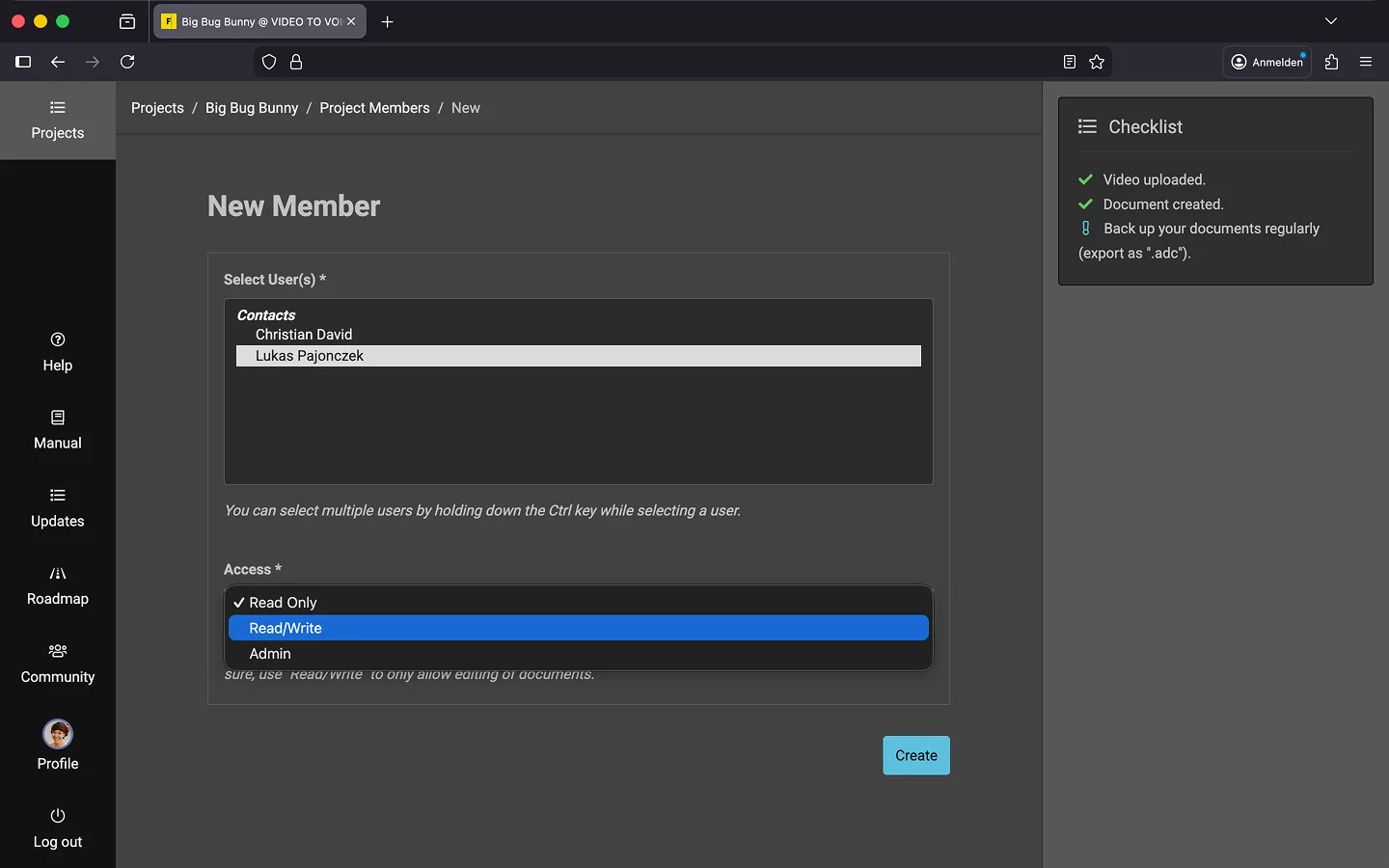
How to Add a Contact to a Project
Before you can add team members, you need to ensure that all your contacts are registered in your profile. You can learn more about this in the Manage Contacts chapter.
- Open the project.
- Scroll down to the “Team Members” section.
- Click “New Member”.
- Select a contact.
- Assign access rights.
- Click “Create.”
Who Can Do What?
Team members can have different roles in your project.
- Read Only
- Team members can view and listen to documents in the editor, but they cannot make any text changes.
- Read/Write
- Team members can create and edit documents, but they cannot delete them.
- Admin
- Admins have nearly full control of the project, including uploading videos, editing documents, and managing the team. However, they cannot delete, archive, or transfer the project.
- Owner
- This is your role. You automatically have admin rights and can transfer, archive, or delete the project.
Delete a Team Member
Open the project and scroll down to the “Team Members” section.
- Open the context menu for the person.
- Choose the “Delete” option.
Last Update: 2026/01/23