
The “Inspector“
When you click on a text block, the „Inspector“ opens.
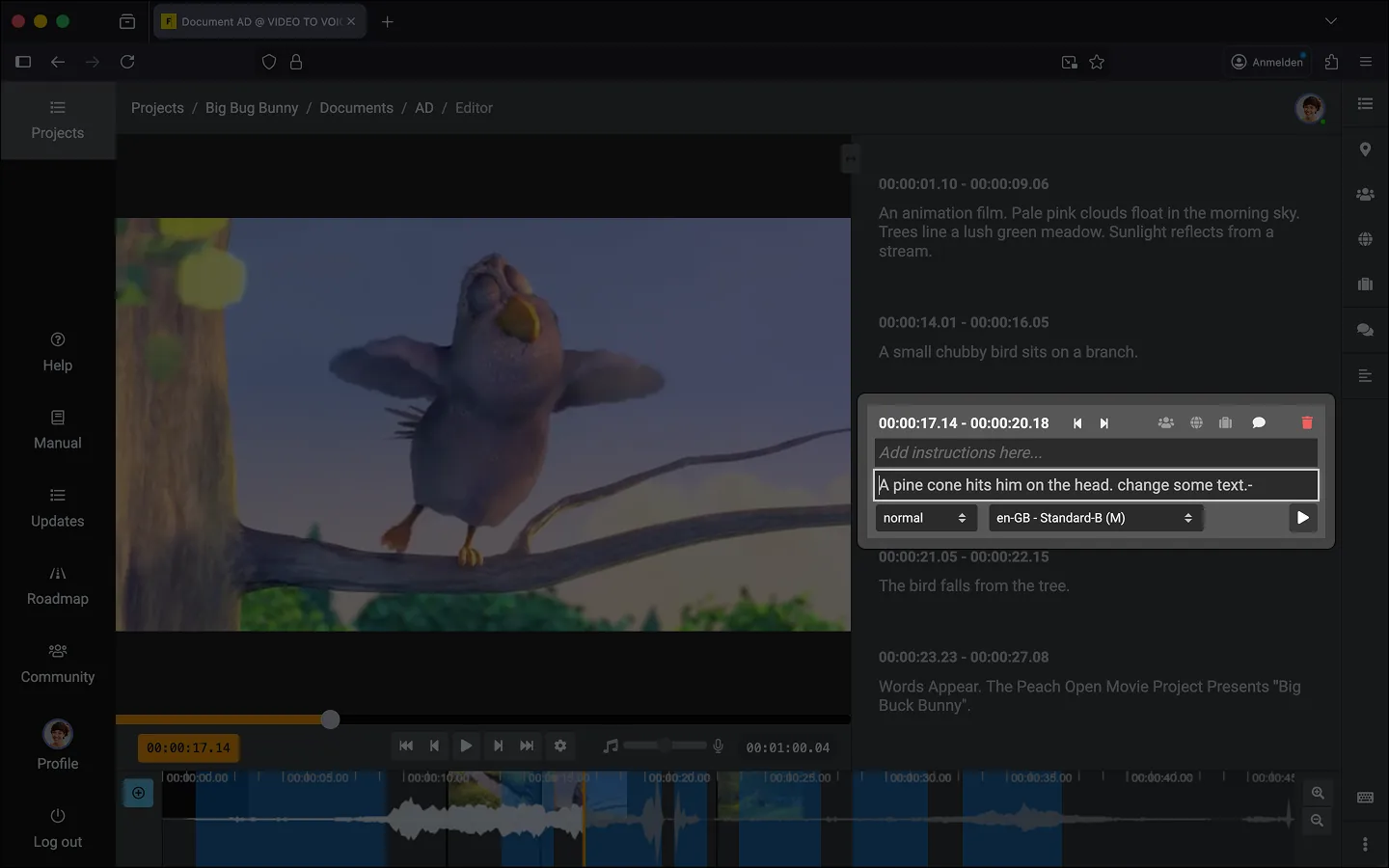
Structure
The Inspector is horizontally divided into four main areas:
- Header
- Timestamps and global functions
- Automatically generated timecode defining the start and end points of the current text block.
- Navigation icons (Back/Forward) to shift the text block backward or forward by one frame on the timeline.
- Add a “tag” for the glossary to the text block.
- Delete the text block.
- Instructions Area
- Area for instructions that are not read aloud.
- Main Text Area
- Area for your audio description.
- Control Bar (Footer)
- Audio and playback settings
- Set the speaking rate. In the script, this is represented as S or S+.
- Set the voice for the text block. Useful if you are working with subtitles in the project.
- Preview without playing the video.
Last Update: 2026/10/07