
Your Profile
Edit personal information, change your password, or adjust the language.
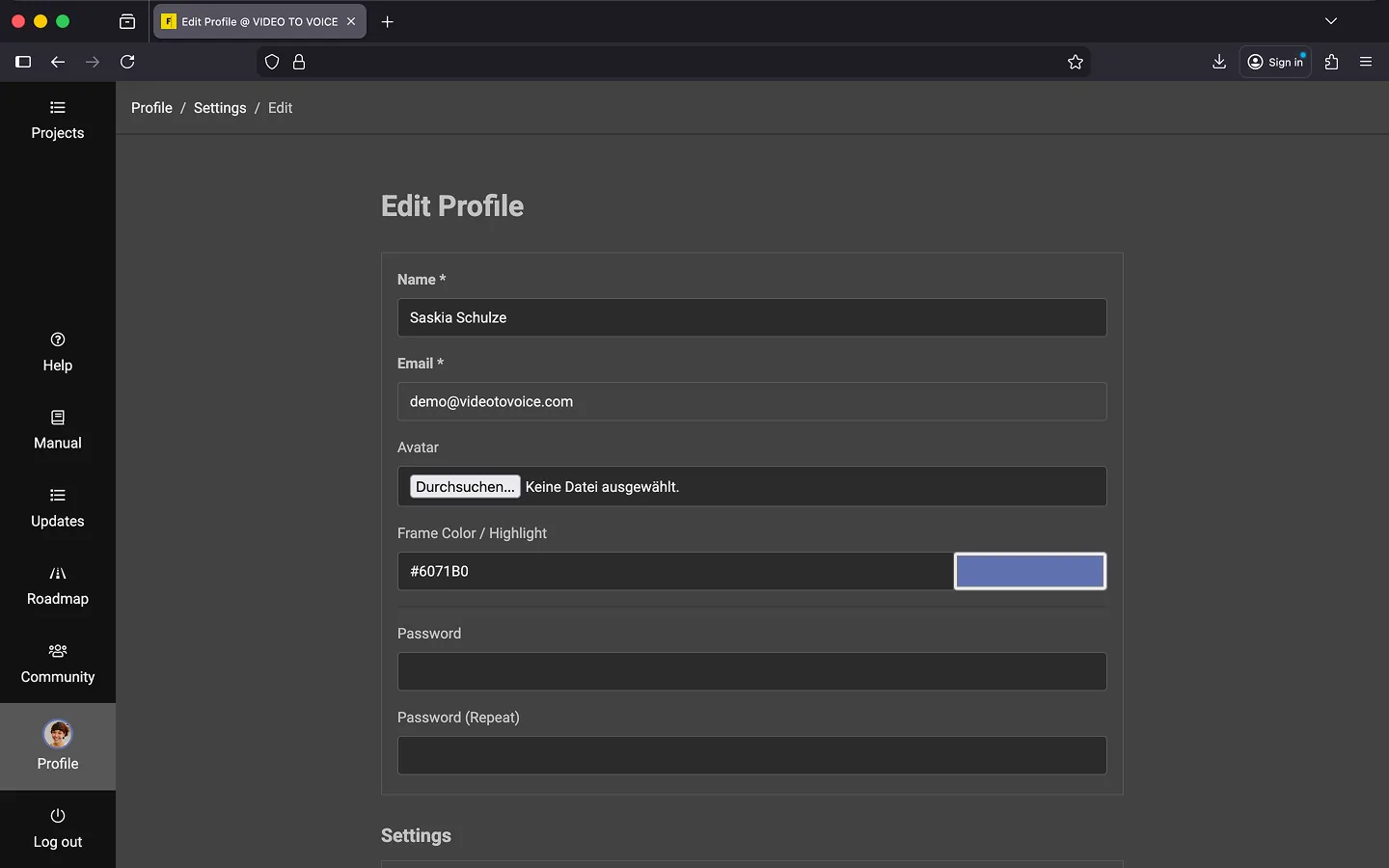
General Settings
You can configure the following settings.
- Name
- Your name will be displayed in various contexts, such as when collaborating with other users.
- Your email address is used for authentication and to send you notifications. You cannot change your email address yourself. If necessary, please contact support.
- Avatar
- You can upload a profile picture, which will appear in the sidebar on the left and at the top right of the editor. If no image is uploaded, your initials will be displayed. The recommended image size is 256x256px.
- Frame Color/Highlight
- You can customize the color around your avatar and on your text changes. After making a change, ensure the new color is clearly visible by checking the “Profile” menu item in the sidebar at the bottom left. Light colors are especially recommended, as Frazier’s interface is predominantly dark.
- Password (and Confirmation):
- You can change your password by entering it in both fields. The password will only be updated if both fields are filled out and match.
More Settings
You can configure the following settings.
- Language
- Set the language for Frazier’s interface, including help texts, buttons, and the checklist. This setting is independent of the language chosen within a project, which applies specifically to voice output. Frazier is currently available in German and English.
- Time Zone
- Our servers are located in Germany. If you are working in a different time zone, you can adjust this setting to ensure times, such as “Last Update” in the project list, are displayed correctly.
Last Update: 2026/01/23