
Audio Signal
Generate a WAV file that contains both placeholders for the audio description and text markers for exact synchronization in post-production. The audio signal can be imported into DAWs like Logic Pro or Reaper.
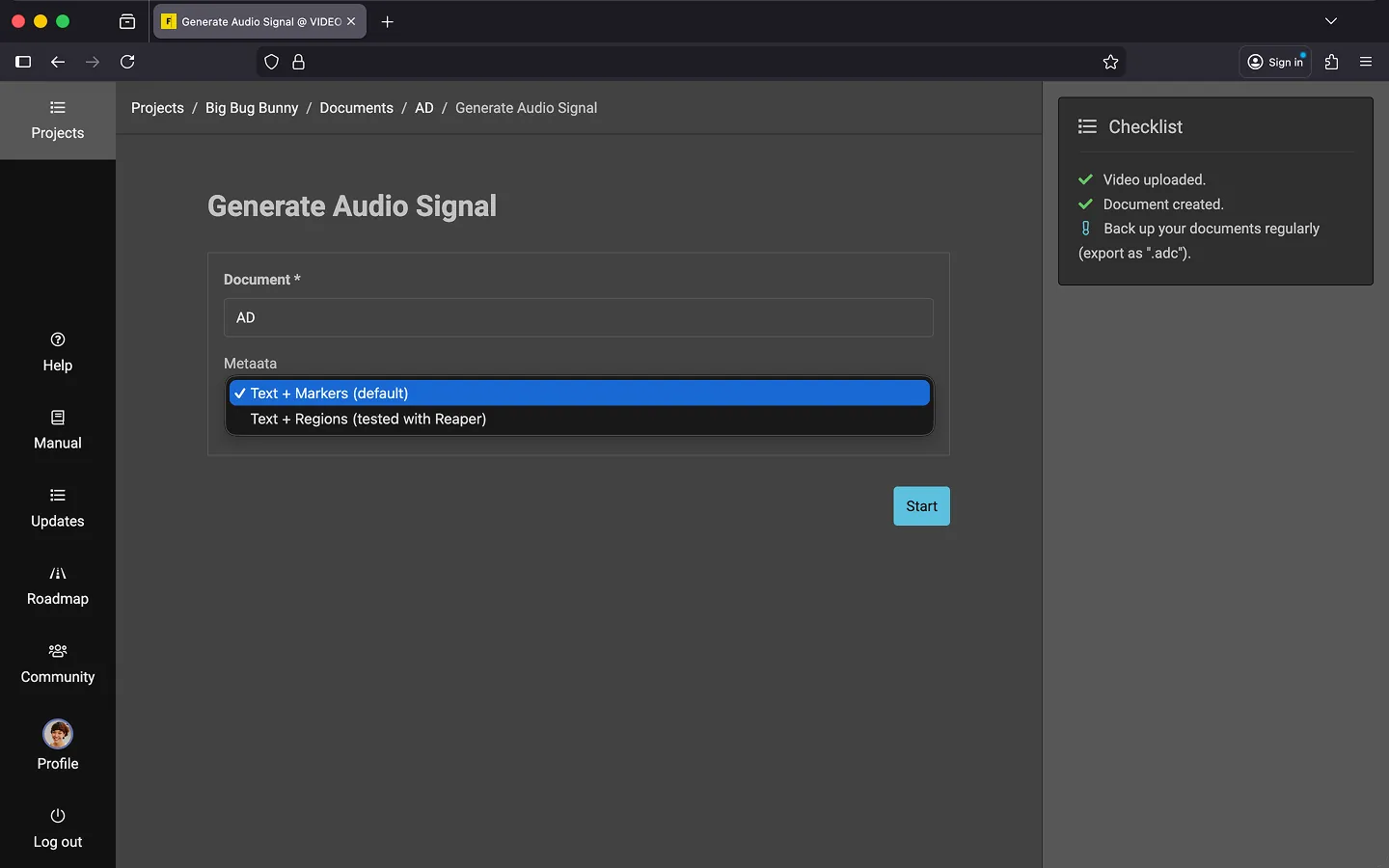
How to Generate an Audio Signal
You can start generating the audio signal from both the project overview and directly from the editor.
- Open the context menu.
- Select the option “Generate Audio Signal…”.
- Choose which metadata you need.
- Text + Markers (Default)
- Text + Regions (tested with Reaper)
- Click “Start”.
Note: Please ensure the Audio Signal plugin is enabled in your plugin settings before use.
Last Update: 2026/01/23