
How do I create a subscription?
We use Stripe to process online payments securely. This allows you to manage your subscription independently and access your invoices.
1. Open Stripe Checkout
Click on “Select plan” in the bottom right corner of the info box in the project list to start setting up the subscription.

2. Select Plan
In the first step, choose the plan you want to subscribe to. The plans differ only in the number of active projects, not in features. Consider how many audio descriptions you expect to create in the coming month. If you have only a few projects, start with “Authoring - S.” For regular audio description work, we recommend the “Authoring - M” plan.

Tip: You can change plans later at any time. More on this in the next chapter.
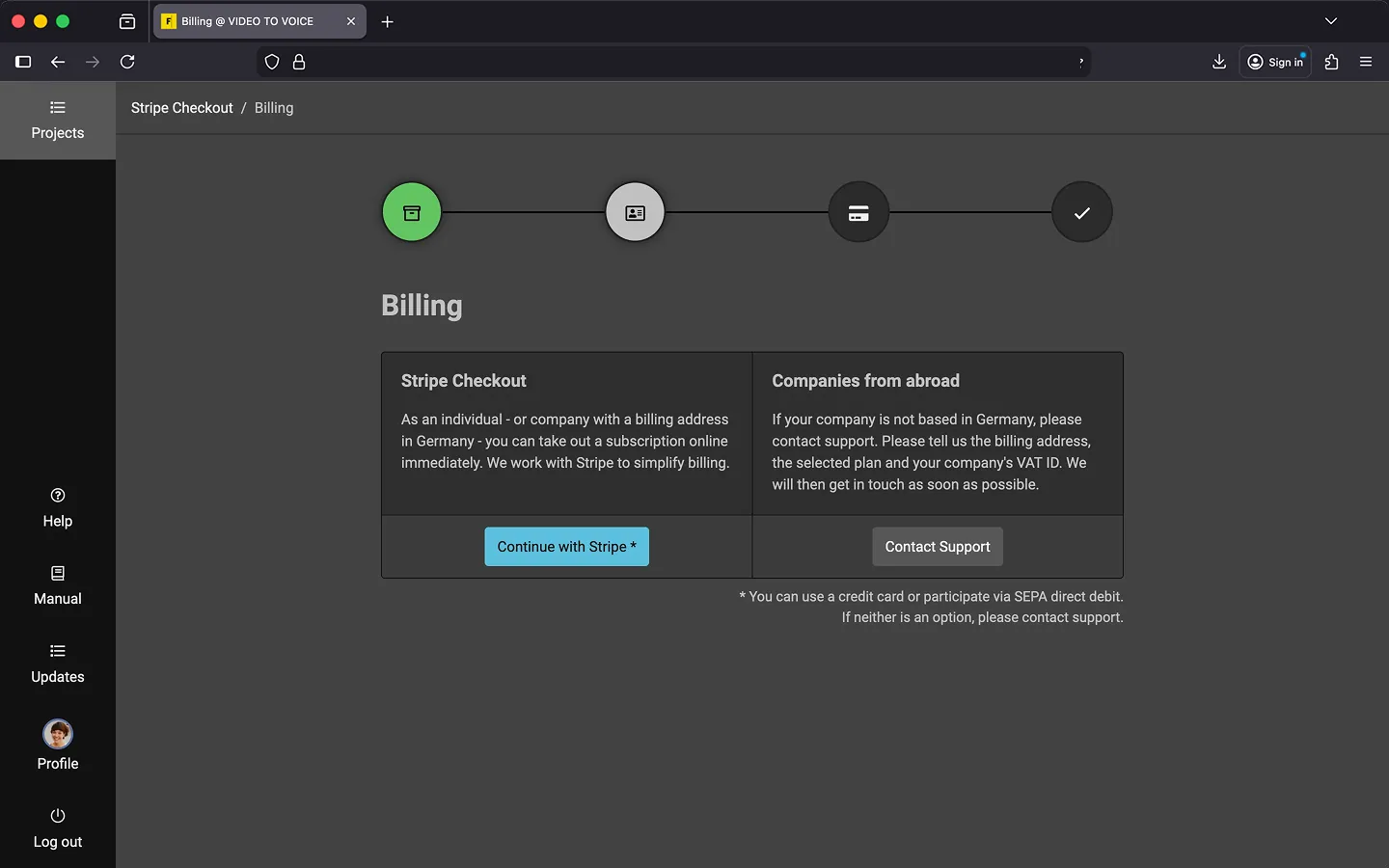
3. Billing
If you are an individual or a company based in Germany, you can subscribe online immediately. Simply click “Continue with Stripe.”
If your company is based outside Germany, please contact support and provide your billing address and VAT ID. We’ll get back to you as quickly as possible.
4. Create Subscription
In the next step, you will be redirected to Stripe to set up your subscription.
Stripe Checkout supports payment by credit card and SEPA direct debit. If neither option works for you, please contact support. Otherwise, enter your account details and billing address. Double-check your plan selection and the amount.

If everything is correct, click “Subscribe.”
4. Subscription Setup
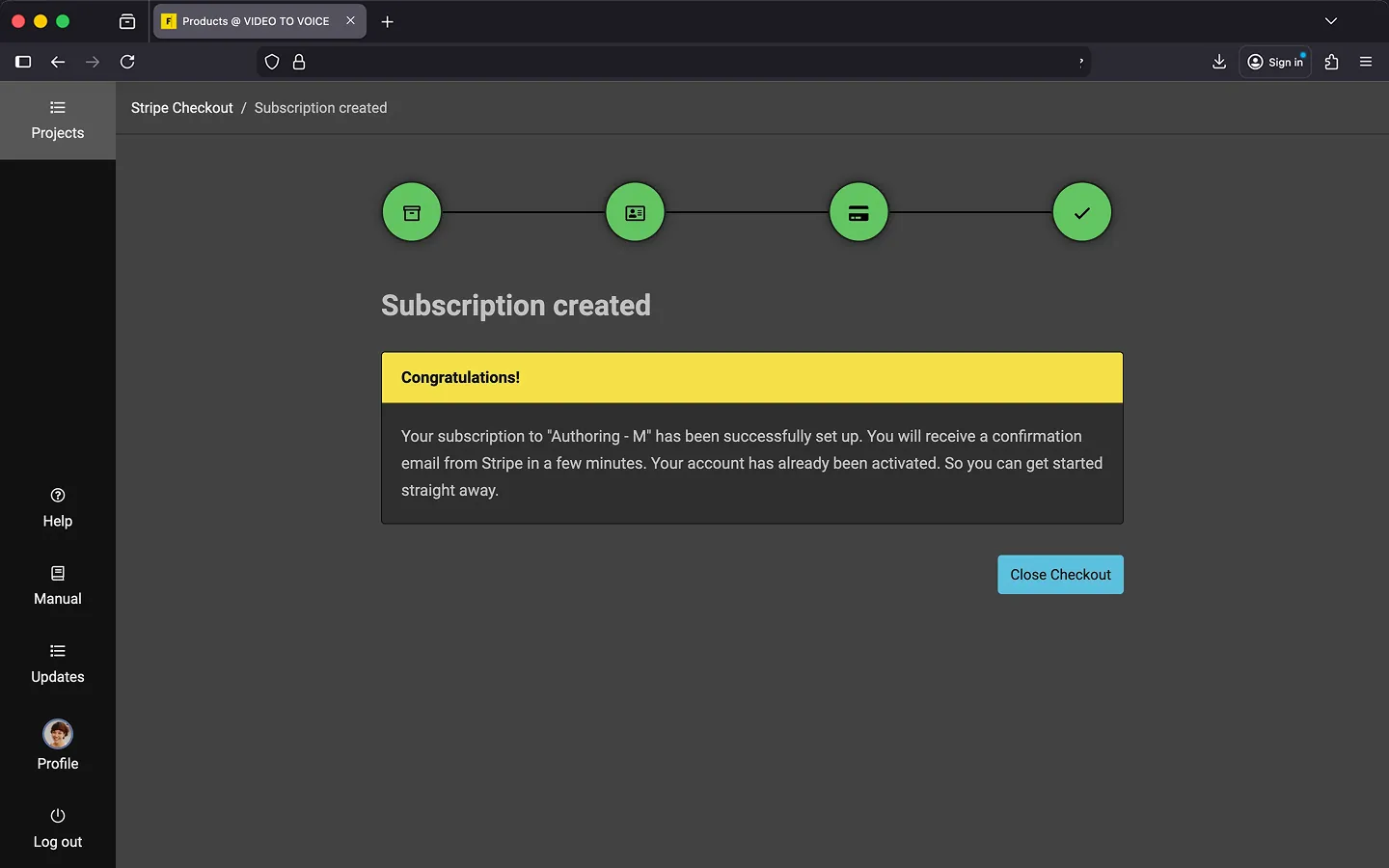
Stripe will set up your subscription, and you’ll be redirected back to Frazier. Click “Close Checkout” to complete the process.
5. Frazier Account Updated
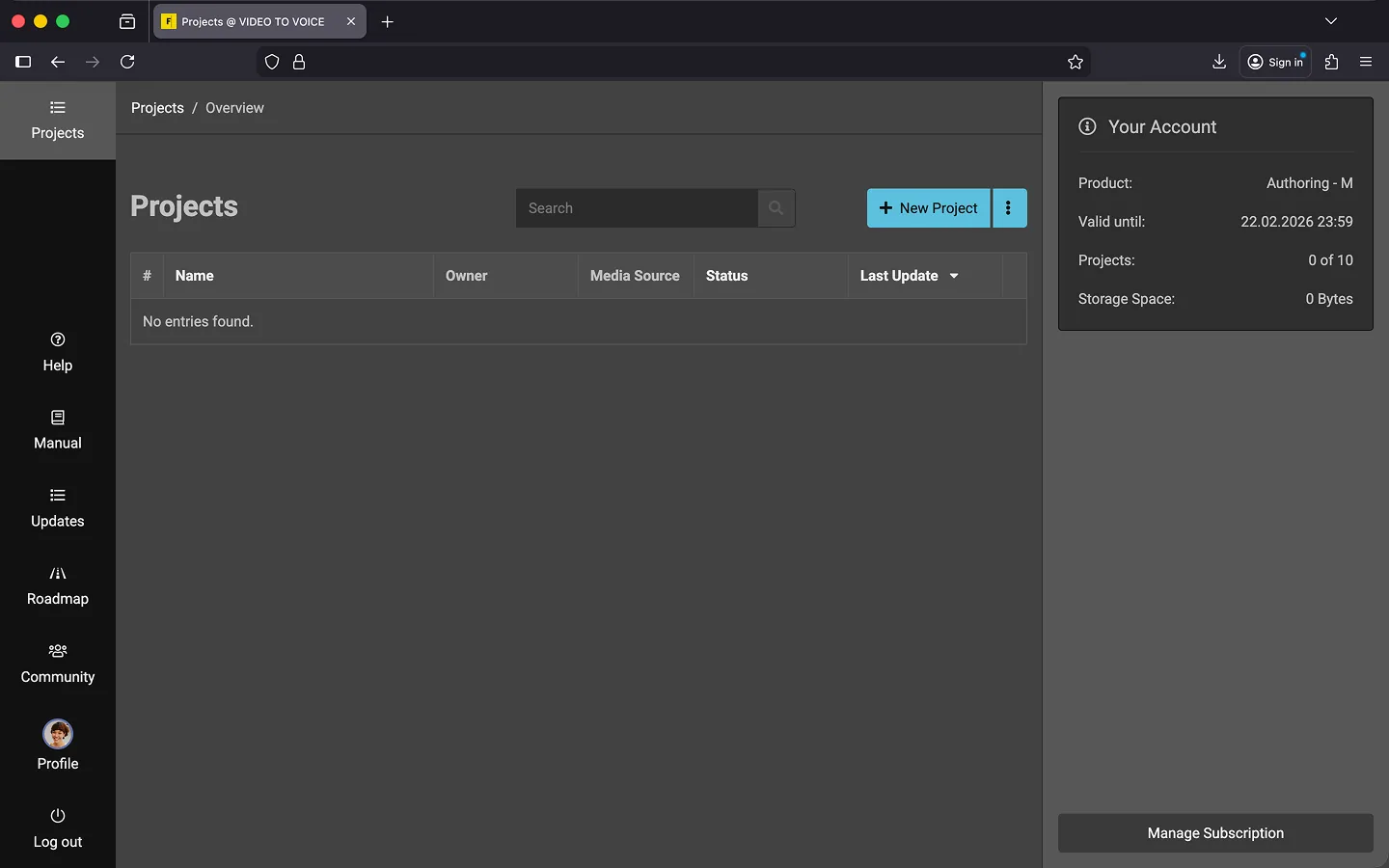
Stripe automatically notifies us once your subscription is successfully set up. You’ll see updated account information next to the project list and in your profile.
Last Update: 2026/01/23