
Custom presets
You can create custom presets for automated mixes.
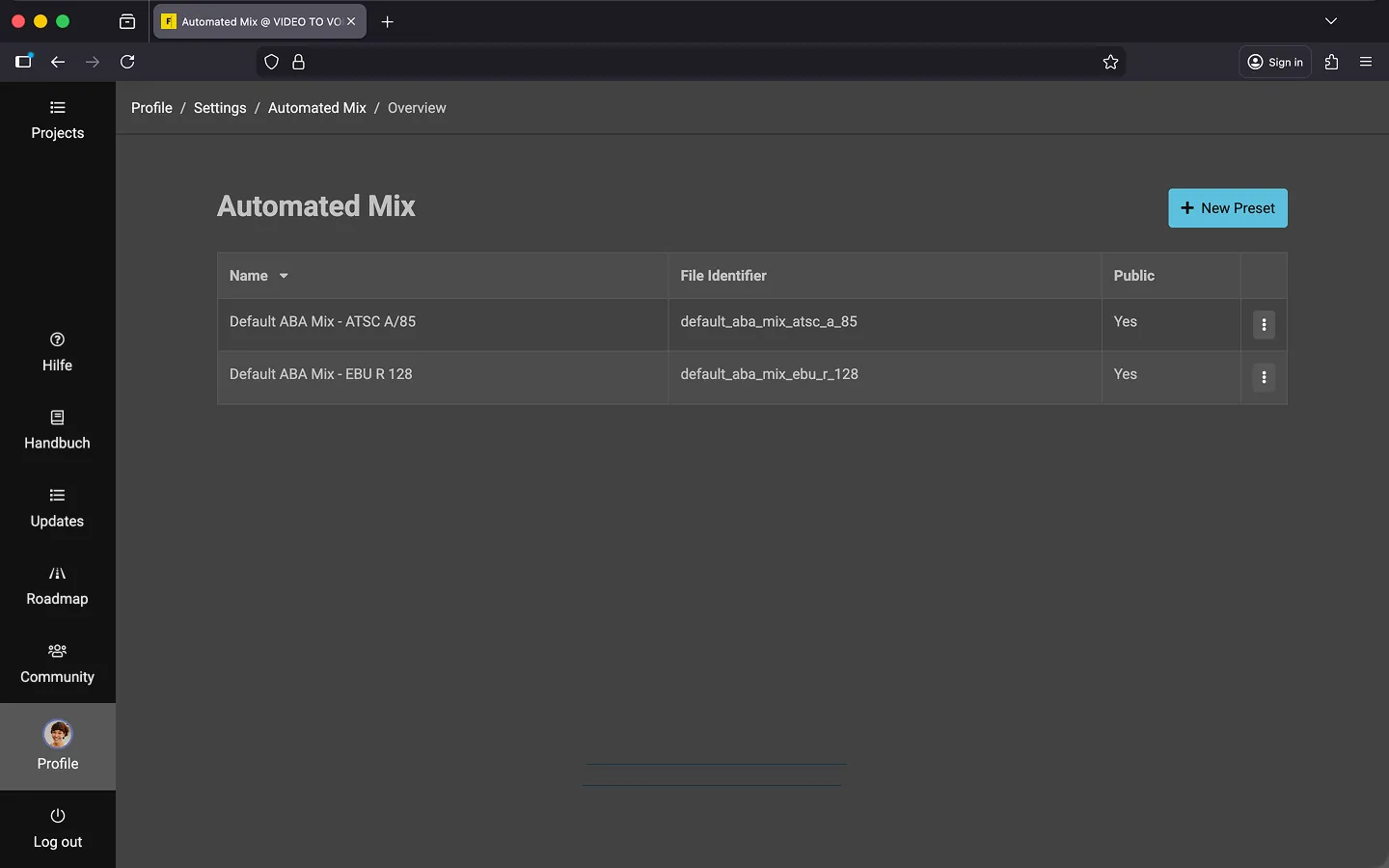
Open presets
- Open your profile.
- Scroll to the “Text-To-Speech & Automated Mix” section.
- Click on “Manage presets”.
- Click on “New preset”.
- Assign a name.
- Set parameters.
- Click on “Create”.
Tip: Create a copy of an existing preset.
Parameters
The following parameters are currently available:
- Target Loudness (LKFS)
- Bits Per Sample (BPS)
- Clearance
- Attack
- Release
- Shift
- Shape
- Static Attenuation
- Lookahead
- Integration Time
- Absolute Gate
- Relative Gate
For further questions, please contact our support.
Duplicate preset
- Open the submenu of an existing preset.
- Select “Duplicate”.
Tip: You can duplicate one of the standard presets for EU (EBU R 128) or USA (ATSC A/85) as a starting point. This provides useful default values, making it easier to adjust only the parameters you need instead of creating a preset from scratch.
Delete preset
- Open the submenu of the preset.
- Select “Delete”.
Last Update: 2026/03/06