
Adjusting Pronunciation
If you’re unhappy with the pronunciation of a word, you can try to modify it.
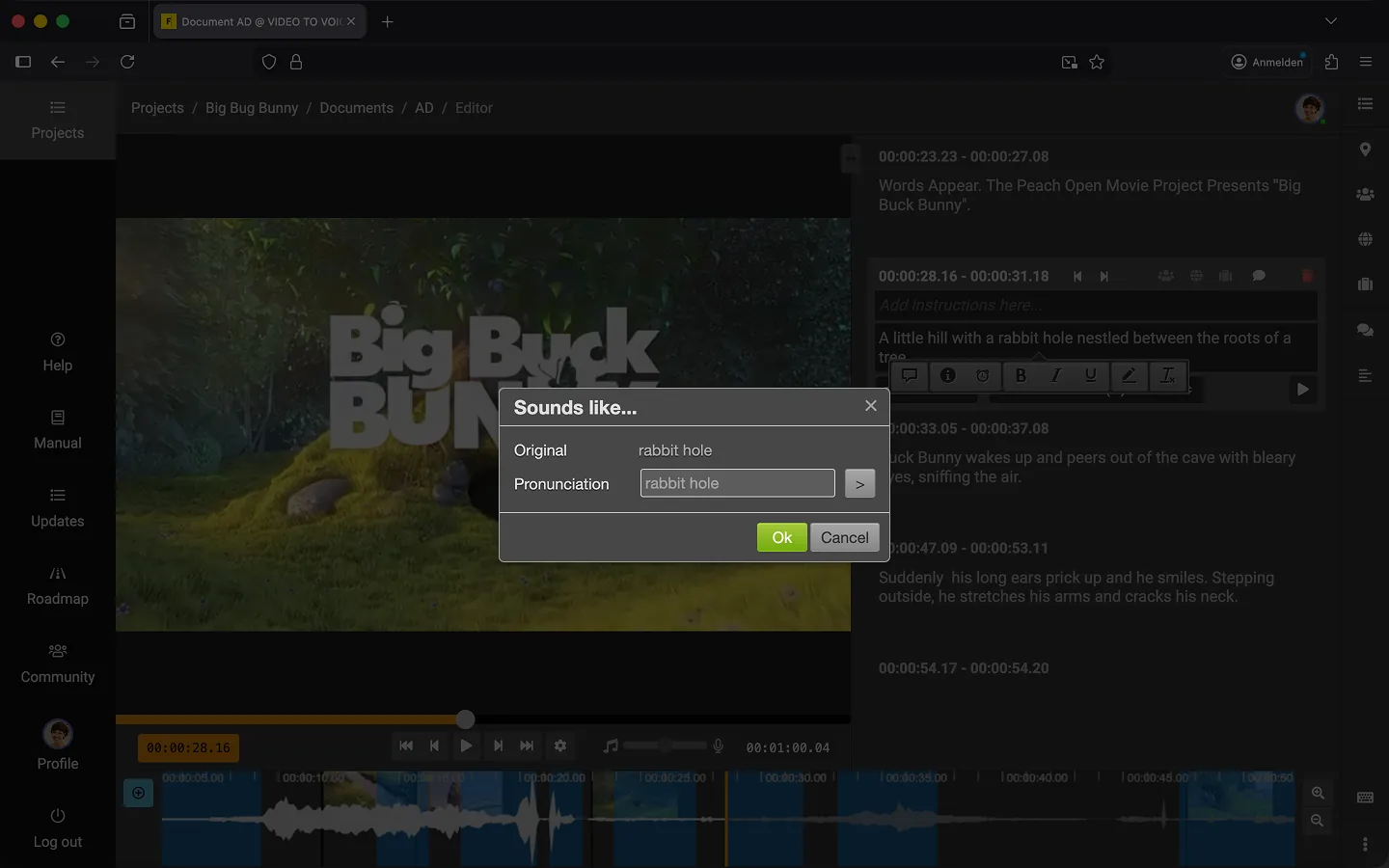
How to Adjust Pronunciation
You can assist the text-to-speech engine by intentionally misspelling words or separating syllables with hyphens.
- Highlight the text that is being pronounced incorrectly.
- A small menu will appear above the highlighted text.
- Click the “Speech Bubble” icon (tooltip: “Adjust Pronunciation”).
- A popup will open, allowing you to modify the pronunciation.
- Experiment with different spellings, such as replacing “ä” with “eh.”
- Use the “Play” icon to listen to your adjustment.
- Once it sounds correct, click “OK.”
Be Creative! Follow the “Write as You Speak” approach. Simply write the word as it should sound. It may feel odd, but it’s often the easiest solution. For example, try replacing “ä” with “e” or “eeh.” A word like Schifffahrtsgesellschaft might become Schiff-fahrts-ge-sell-schaft. The goal is to achieve a natural-sounding result.
Tip: A common correction is to replace “:” with “?” to make the voice pitch rise at the end of a sentence.
Adjust Pronunciation with Bulk Edit
If the word appears multiple times in the text, it’s better to use Bulk Edit. This way, you only need to adjust the word once, and all other instances will automatically update.
Last Update: 2026/01/23