
Translate a Document
We’ve integrated DeepL into Frazier to help with multilingual projects. With DeepL, you can have your manuscript automatically translated into different languages and then edit it in the editor.
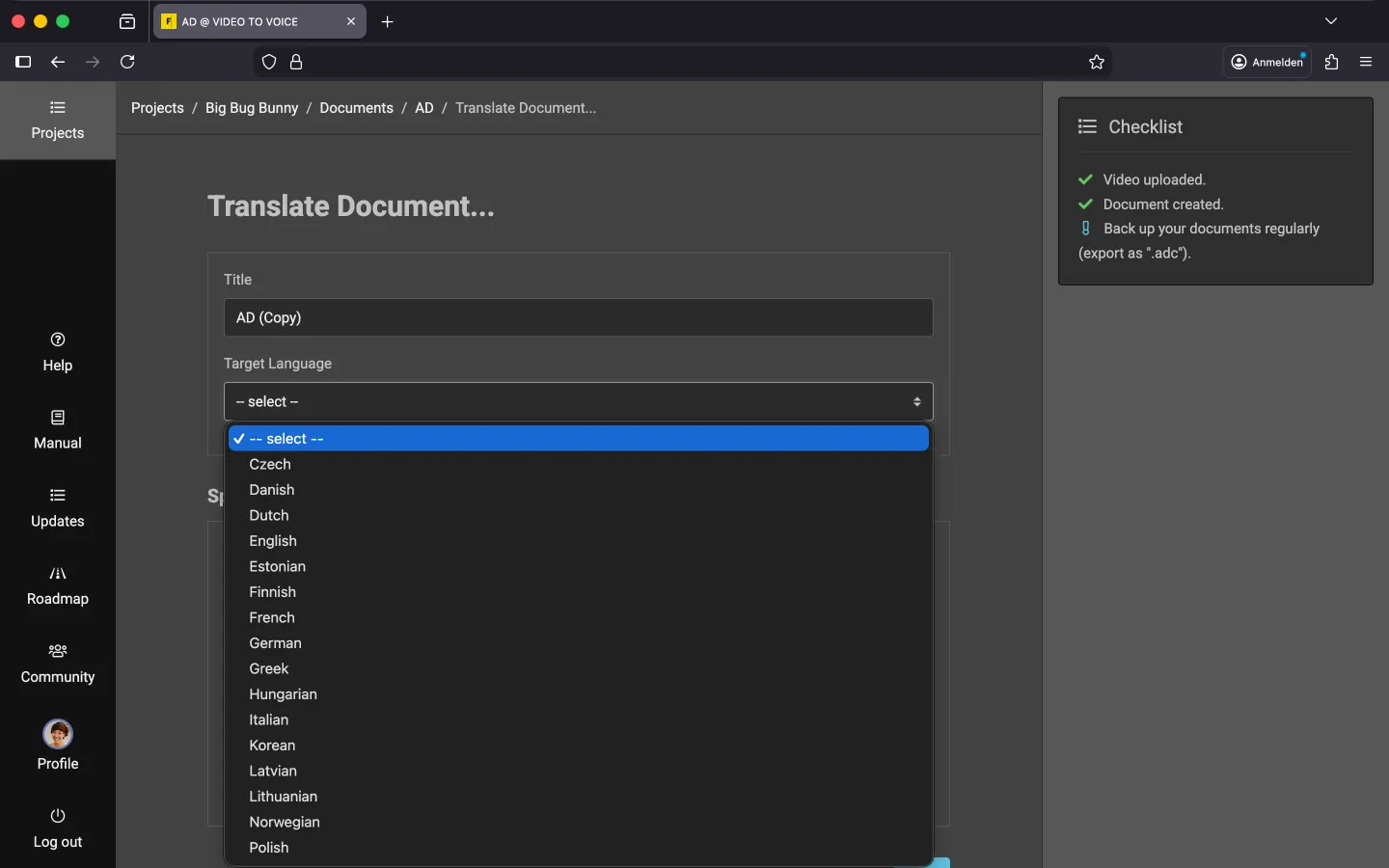
How to Start a Translation
In order to perform the machine translation, your script is sent to DeepL’s server. Before you use this function, please read the DeepL chapter in our Terms of Use. Then follow these steps:
- Open the context menu of the document you want to translate.
- Select “Translate Document…”.
- Assign a new “Title” for the translated document.
- Select the “Target Language”.
- The system suggests a “Standard Voice” that matches the target language. Use the “Test” field to write and listen to a sample text. If you don’t like the selected voice, you can change it.
- Once you are happy with your selection, click “Start”.
The system will send the content of your manuscript (texts + dialogue information) to DeepL and generate a new document. Additional information, such as markings and the glossary, is currently not translated. The process can take up to a minute, so please be patient.
New Voice Output
Once the translation is complete, the editor will open. Frazier will now generate new voiceovers. Depending on the length of the script, this can take a few minutes. However, when you open the editor again later, it will be much faster because the voice output is cached.
Tip: Machine translations are not perfect. Additionally, audio descriptions vary in length depending on the language. Therefore, you should definitely post-edit the translation that DeepL has created!
Languages
You can translate audio descriptions into various languages. The following languages are currently available in Frazier. If a language you need is missing, please email support, and we will see what we can do.
- Czech
- Danish
- Dutch
- English
- Estonian
- Finnish
- French
- German
- Greek
- Hungarian
- Italian
- Korean
- Latvian
- Lithuanian
- Norwegian
- Polish
- Portuguese
- Russian
- Spanish
- Swedish
- Turkish
- Ukrainian
Last Update: 2026/01/23